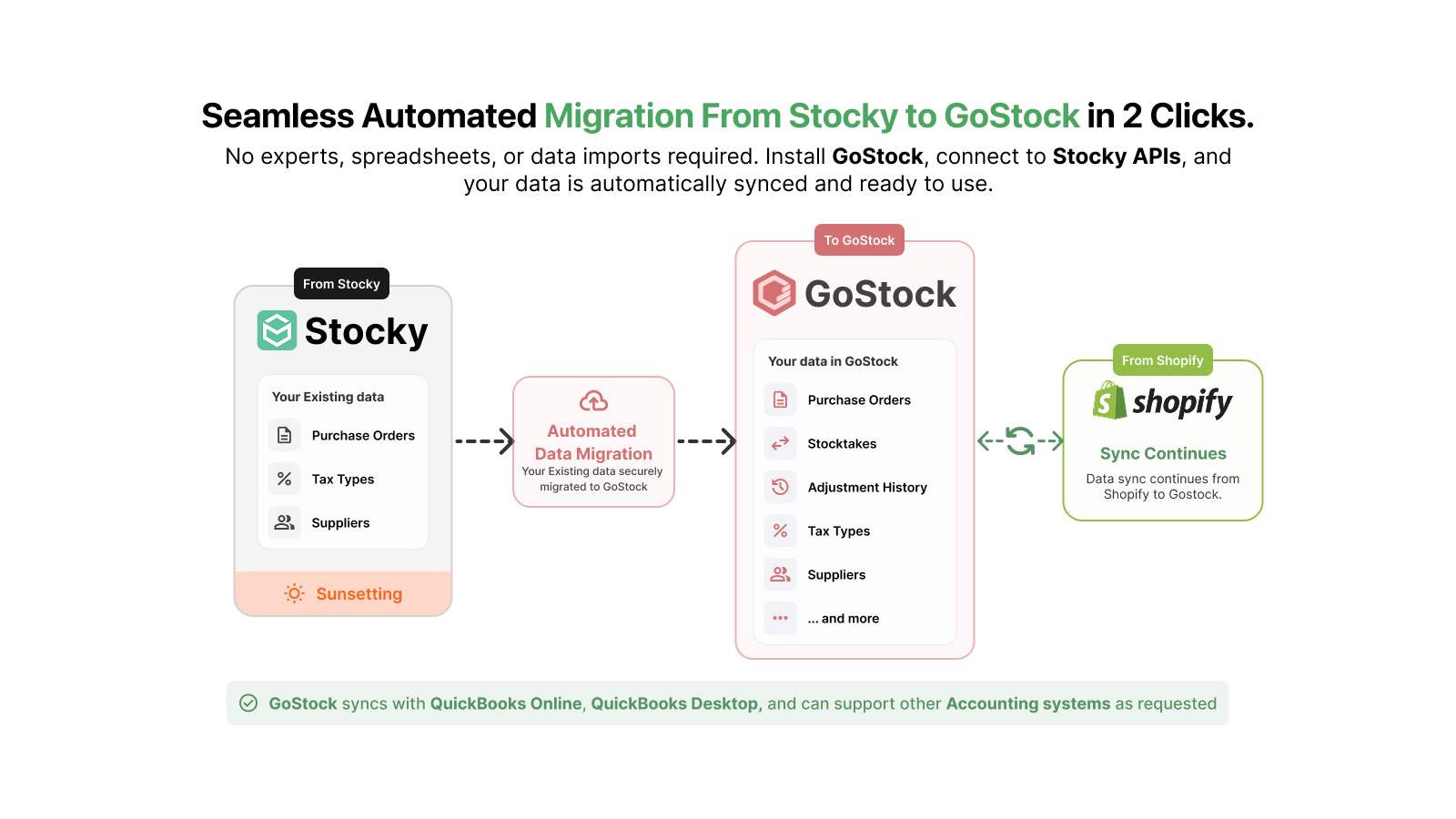
Many Shopify POS Pro merchants relied on Stocky for day-to-day inventory management. With Stocky’s retirement, comes the challenge of figuring out a seamless and better replacement.
Even for the Shopify merchants not using Stocky, it can be tricky to choose an inventory management system that’s the best fit, given the availability of dozens of inventory related apps on the Shopify app store.
Among all the inventory management apps, why choose GoStock
GoStock not only covers all the features a merchant needs in a complete inventory management solution, such as managing purchase orders, replenishment, transfers, and forecasting, it also helps merchants make ongoing decisions around reordering, cost, and profitability.
GoStock seamlessly integrates with the relevant platforms, and has a strong support team that handles any issues along with feature requests from the merchants.
If any of the following 5 items are important to you, give GoStock a try!
1. Real-time sync with QuickBooks and Shopify
GoStock syncs in real time with QuickBooks Desktop, QuickBooks Online, and Shopify. More accounting systems can be added on merchant’s request. GoStock is accessible directly from your Shopify admin.
2. All features covered in one cost-effective price
$29/month for the first location + $10 for each additional one. No feature limits, no SKU limits, no surprise costs as the business grows.
3. Built for SMBs
GoStock has been built with extensive feedback from the Shopify core team and 100+ merchants. The team also brings in the experience of previously building custom inventory management solutions for select merchants.
4. Practical day-to-day features
GoStock not only tells you what to order, how much, from whom, and whether what showed up matches what you paid for. It also has multiple additional features to make everyday inventory management easier: label printing, goods receipt notes, multiple suppliers per product, COGS and margin calculations, creating new products within POs, and more.
5. Two-click migration from Stocky
If you were on Stocky, you can migrate seamlessly to GoStock in 2 clicks. If you use a different system and need help migrating, just email [email protected]
Top 5 features that GoStock users find incredibly helpful
GoStock has many not-so-obvious features that Shopify merchants find useful in day-to-day operations. Here are 5 things that GoStock users are talking about:
✅ GoStock tells you what to order! One click turns it into POs.
✅ You can add new products from the supplier - without leaving the PO.
✅ Print the labels while the box is still open. Scan the delivery, print the labels.
✅ Goods Receipt Note for every delivery - what was scanned, by whom, when, and instantly flag any issues.
✅ Maintain multiple suppliers for the same product - with different costs, pack sizes and lead times for each.